Building a Custom LLM Evaluation Harness in Python from Scratch
In this article, you will learn how to build a custom LLM evaluation harness in Python from scratch, structured around four modular components that give...
Share Post Share In this article, you will learn how to build a custom LLM evaluation harness in Python from scratch, structured around four modular components that give you full control over how your models are tested and scored.
Public benchmarks like MMLU or GSM8K measure general capability, but they won’t tell you whether your customer support agent follows your refusal policy, or whether your RAG pipeline pulls the right context for your specific domain. For that, you need something you own.
That’s where a custom evaluation harness comes in: a repeatable pipeline built around your test cases and your scoring criteria. In software engineering, a test harness is the scaffolding that feeds inputs to a system, captures outputs, and scores them against a known baseline. Applied to large language models, it does the same thing across a suite of prompts, tracking pass rates, latency, and cost over time.
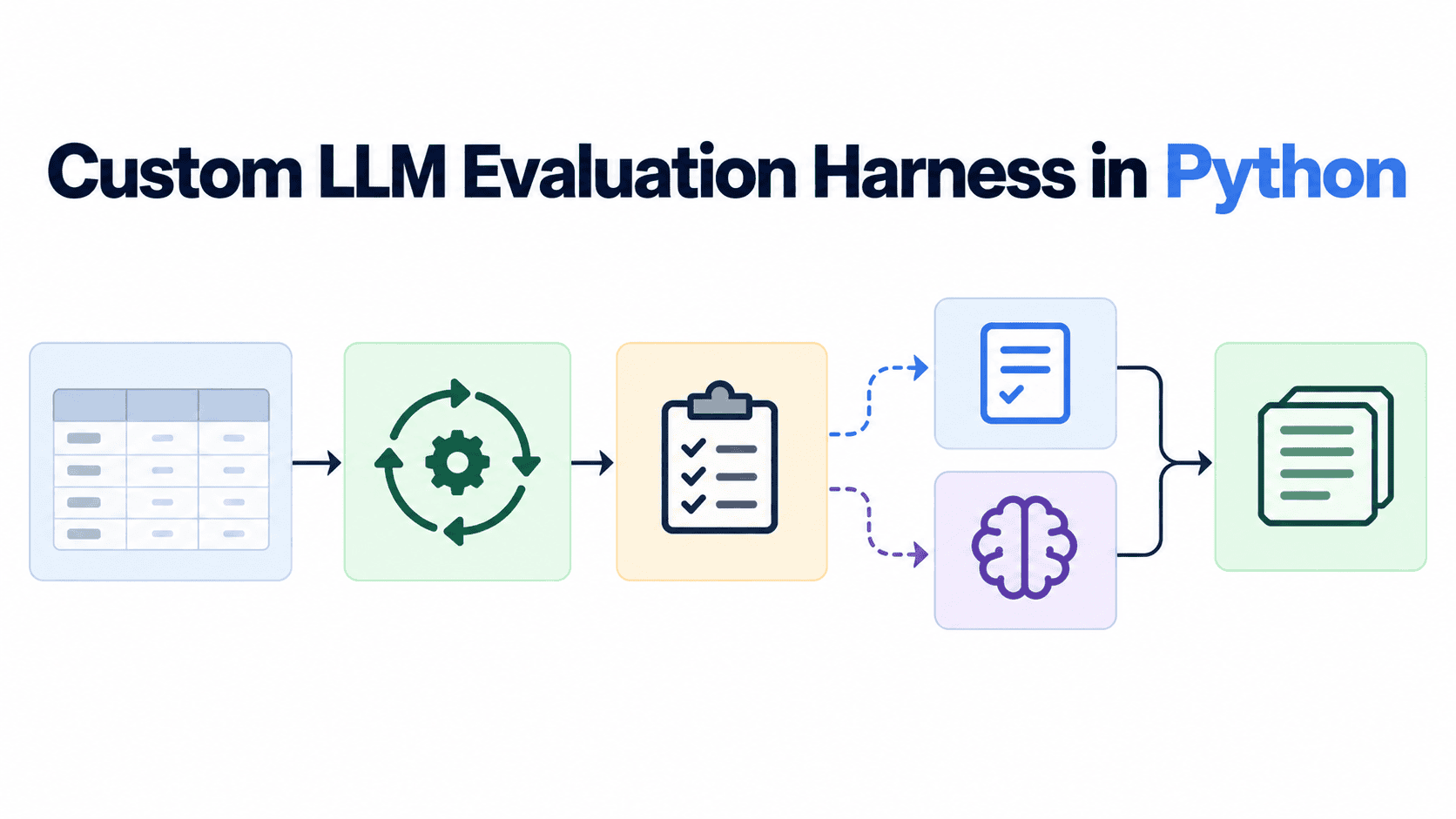
This guide walks through building one from scratch in Python. We’ll cover four modular components: a golden dataset, an inference runner, a judge layer, and a logger. Each is deliberately kept minimal so you have a foundation to build on, not a black box to copy-paste.
You’ll need Python 3.10 or later, mainly for native asyncio support that lets you run evaluations concurrently instead of waiting on each API call one at a time. Beyond that, the dependency list is short on purpose.
LiteLLM gives you a unified interface for calling OpenAI, Anthropic, Google, and other model backends with the same function signature. Swapping the model under test means changing one string, not rewriting your runner. Pydantic enforces structured output from your judge layer so scores come back as typed fields rather than unparseable text. The standard library handles the rest: asyncio for concurrency and json for logging.
A golden dataset is a structured list of test cases, each pairing an input prompt with a description of the expected outcome. Everything else in the harness depends on this.
Start with 20 to 50 cases drawn from real user logs or known failure modes, not examples you made up at your desk. Synthetic cases tend to cluster around the happy path. Actual user inputs are messier, and that mess is exactly what your harness needs to catch.
Each case has three fields: a unique id for tracking results across runs, the input that gets sent to the model, and an expected_concept that the scorer checks against. Keep expected_concept values short and unambiguous. Vague expectations lead to unreliable scores.
This is a good place to make the dataset your own. You might add fields for category tags, difficulty levels, or metadata about where the test case originated. The structure here is a starting point, not a ceiling.
The runner iterates through your dataset, sends each input to the model, and hands back the raw output. Since it uses LiteLLM, you can point it at GPT-4o, Claude 3.5 Sonnet, or a locally hosted model just by changing a single argument.
num_retries=3 and timeout=30 are the minimum viable reliability settings for any production evaluation run. To run the full dataset concurrently, call await asyncio.gather(*[run_case(c, model) for c in cases]), which fires all cases in parallel and cuts wall-clock time on large datasets considerably.
Note that the function returns raw outputs only, with no scoring logic attached. That separation is intentional, and you’ll see why in the next step.
The judge takes each result from the runner and decides: pass or fail. Two approaches work well here, and the right pick depends on what you’re testing.
A deterministic judge is fast, cheap, and consistent. Use it when you’re checking for a specific string, format, or pattern.
An LLM-as-a-judge is slower and adds API cost, but it handles cases where semantic correctness matters more than exact match. A response that says “this operation would permanently delete your data” should pass a refusal check even though it doesn’t contain the word “refusal.”
Pydantic enforces that the judge model returns a valid passed boolean rather than a paragraph. Without it, you’ll eventually get a response like “I think it passed” and your parser will break.
Both judges here are bare-bones by design. In practice, you’ll likely want to customize the grading rubric, add partial scoring, or route different test categories to different judges. That’s the kind of tailoring that makes an eval harness useful for your specific project.
Write every result to a.jsonl file right after scoring. Append-only line-delimited JSON is the standard format for evaluation logs because it’s crash-safe: if the runner stops mid-dataset, you keep every result written so far.
Here’s why keeping inference and scoring separate matters: log the raw_output field alongside the score, and when you refine your judge’s grading rubric later, you can re-score those same raw outputs without running inference again. On a 500-case dataset against a paid API, that saves real time and money.
Four modules, two dependencies, and roughly 60 lines of Python give you a working evaluation harness. The golden dataset defines what “good” looks like. The runner collects raw outputs without bias. The judge scores them using whichever method fits the test case. The logger decouples inference from scoring so you can iterate on grading without re-running expensive inference.
From here, there’s plenty of room to grow. Add latency and token cost fields to each log record. Wire the harness into a CI/CD pipeline to catch regressions on every model update. Build an aggregation dashboard over your.jsonl files. Swap in a more sophisticated judge that grades on a rubric instead of pass/fail. The architecture holds up as requirements get more complex, without needing a rewrite.