OGX: Open-Source-API-Server fuer Agent-Anwendungen
OGX ist ein quelloffener agentic API Server zum Bau von OpenAI-kompatiblen KI-Anwendungen. Dabei lassen sich beliebige Modelle mit beliebiger Infrastruktur kombinieren.
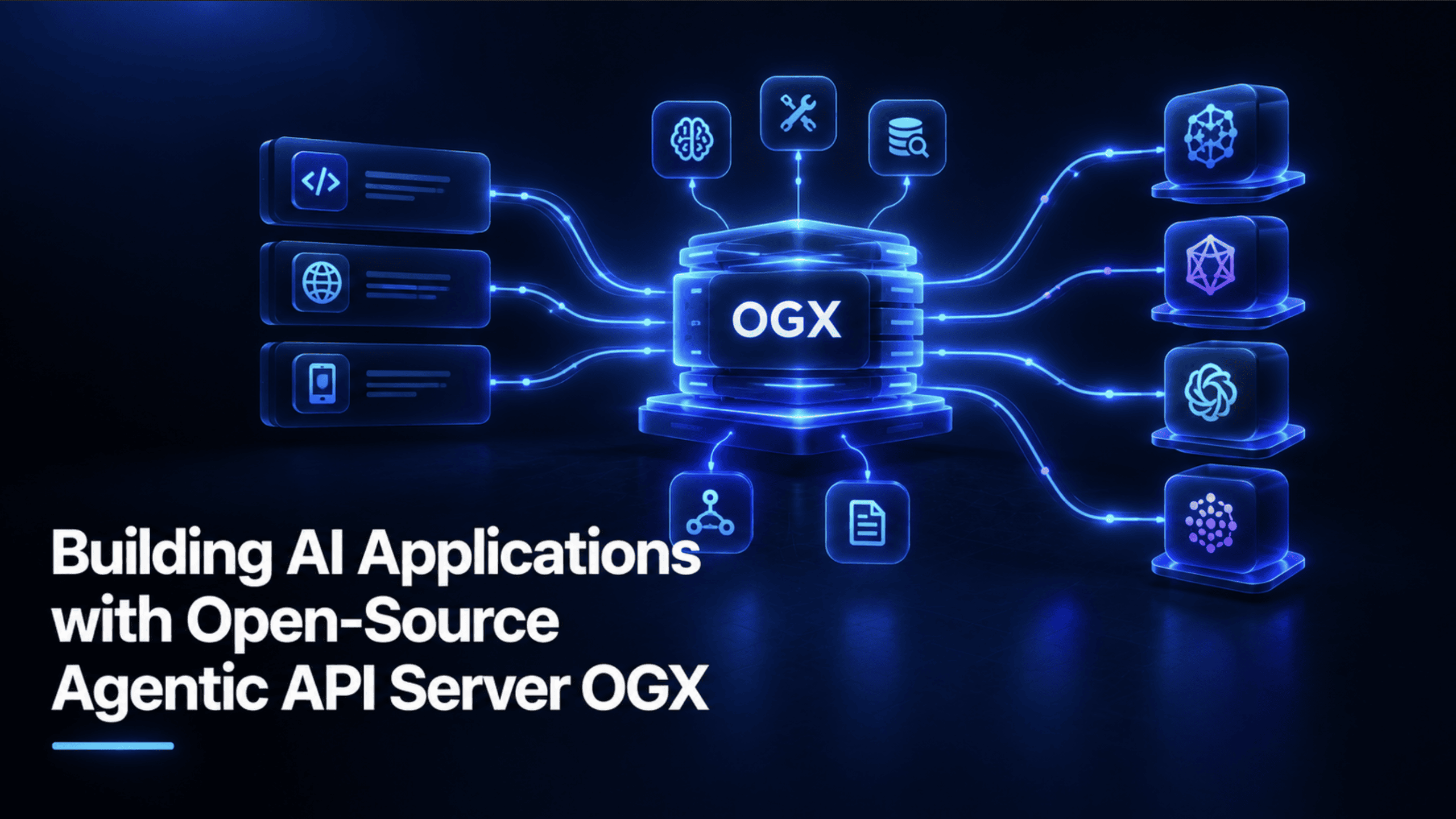
OGX ist ein Open-Source-API-Server für agentische Anwendungen, mit dem sich OpenAI-kompatible KI-Anwendungen bauen lassen, und zwar mit jedem beliebigen Modell und auf beliebiger Infrastruktur.
Der wichtigste Fakt, den man zu diesem Thema vorab kennen sollte: OGX ist das Rebranding von Metas Llama Stack. Die eigene GitHub-Seite sagt das direkt, Llama Stack heißt jetzt OGX, und die Umbenennung geht mit einer echten Neuausrichtung der Mission einher, nämlich modellagnostisch, multi-SDK-fähig und produktionsreif zu sein. Es handelt sich also nicht um ein neues, unabhängiges Projekt mit einer verwirrend ähnlichen Architektur. Allein diese Tatsache klärt vieles für alle, die sich derzeit mit agentischen API-Servern, OpenAI-kompatiblen APIs oder der Entwicklung lokaler KI-Anwendungen beschäftigen, denn ein guter Teil dessen, was über Llama Stack geschrieben wurde, trifft unter dem neuen Namen auch auf OGX zu.
OGX wird schlicht beschrieben als: ein Open-Source-API-Server für agentische Anwendungen zum Bau von KI-Anwendungen, OpenAI-kompatibel, mit jedem Modell und auf beliebiger Infrastruktur. Unter der MIT-Lizenz veröffentlicht, ist es ein tatsächlich etabliertes Projekt, das zum Zeitpunkt dieses Artikels über 8.400 GitHub-Stars und 1.400 Forks vorweisen kann und das mit regelmäßigen Community-Calls und aktiver Entwicklung weitergeführt wird.
Der Kern des Angebots ist ein Drop-in-Ersatz für die OpenAI API, den man selbst betreibt, auf einem Laptop, in einem Rechenzentrum oder in der Cloud, und auf den man jeden OpenAI-kompatiblen Client oder jedes agentische Framework zeigen lassen kann. Hinter dieser einen API steckt eine steckbare Provider-Architektur: Man entwickelt lokal gegen Ollama, deployt in Produktion gegen vLLM oder verbindet sich mit einem verwalteten Cloud-Dienst, alles über exakt dieselbe API-Oberfläche, sodass ein späterer Austausch des Backends keine Neuprogrammierung der darauf aufbauenden Anwendung bedeutet. Es geht dabei auch über reine Chat-Completions hinaus: Die Responses API übernimmt serverseitige agentische Orchestrierung, Tool Calling, die Integration von MCP-Servern sowie eine integrierte Dateisuche für retrieval-augmented generation (RAG) in einem einzigen API-Aufruf, und OGX unterstützt nativ die SDKs von OpenAI, Anthropic und Google GenAI gegen denselben Server, nicht nur die Client-Bibliothek eines einzelnen Anbieters.
In diesem Artikel bauen wir eine App, nennen wir sie DocBrain, die zwei Dinge kann. Erstens echtes RAG: Man lädt Dokumente hoch, und sie beantwortet Fragen auf Grundlage deren tatsächlichen Inhalts, wobei die Retrieval-Suche automatisch abläuft und nicht über eine manuell verdrahtete Vektordatenbank und ein separates Retrieval-Skript erfolgt. Zweitens eine wirklich agentische Fähigkeit: Während sie Ihre Dokumente prüft, kann sie ein eigenes Tool aufrufen, um eine konkrete Aufgabe zu markieren und zu speichern, etwa eine Frist zur Mietvertragsverlängerung oder eine Nachfass-Aufgabe, in eine echte Datei auf der Festplatte. Sie beschreibt also nicht nur, was Sie tun sollten, sondern erledigt die Dokumentation gleich mit.
Sie benötigen uv, den schnellen Paketmanager für Python, sowie ein lokales Modell-Backend. Dieses Tutorial verwendet Ollama, derselbe Code funktioniert später aber unverändert auch gegen vLLM oder einen Cloud-Anbieter, und genau das ist der Sinn von OGX' Provider-Architektur.
# Install Ollama, then pull a model ollama pull llama3.2:3b # Set up a real project (not the throwaway uvx command from a quick trial) uv init docbrain && cd docbrain uv add ogx openai Code-Erklärung: uv init legt ein ordentliches Projektgerüst an, anstatt sich auf einen einmaligen uvx-Aufruf zu verlassen. Das wird wichtig, sobald aus dem Fünf-Minuten-Experiment etwas wird, das man dauerhaft weiterverwendet. uv add ogx openai installiert sowohl das OGX-Server-Paket als auch den Standard-Python-Client von OpenAI, denn dieser Client ist buchstäblich alles, was DocBrain braucht, um mit OGX zu kommunizieren.
uv run ogx go Wenn Ollama läuft und ein Modell bereits geladen wurde, startet dieser Befehl den OGX-Server unter https://localhost:8321. Vergewissern Sie sich, dass er tatsächlich fehlerfrei läuft, bevor Sie Anwendungscode schreiben:
curl -k -s https://localhost:8321/v1/models | python -m json.tool Code-Erklärung: OGX lauscht standardmäßig auf HTTPS und ist ab Werk abgesichert, daher benötigt der lokale Test das Flag -k, um die Zertifikatsprüfung gegenüber seinem selbstsignierten lokalen Zertifikat zu überspringen. Eine erfolgreiche Antwort listet Ihr registriertes Modell unter /v1/models auf und bestätigt damit, dass der Server gestartet wurde und Ollama korrekt verbunden ist, noch bevor Sie eine einzige Zeile der eigentlichen Anwendung geschrieben haben.
Der kleinste echte Aufruf, der das Muster etabliert, auf dem alles Weitere in diesem Tutorial aufbaut:
import httpx from openai import OpenAI client = OpenAI( base_url="https://localhost:8321/v1", api_key="fake", http_client=httpx.Client(verify=False), ) response = client.responses.create( model="ollama/llama3.2:3b", input="What is OGX?", ) print(response.output_text) Code-Erklärung: api_key="fake" ist kein Platzhalter, den man ausfüllen müsse. OGX prüft ihn bei einem lokalen Server überhaupt nicht, jede beliebige Zeichenkette funktioniert. http_client=httpx.Client(verify=False) ist das Python-Äquivalent zum curl-Flag -k aus dem vorherigen Schritt und überspringt die Zertifikatsprüfung für die lokale Entwicklung. Die Modell-Zeichenkette folgt dem Format Provider/Modellname, hier ollama/llama3.2:3b, und daran erkennt OGX, an welchen seiner konfigurierten Provider die Anfrage geroutet werden soll. response.output_text ist die Komfort-Eigenschaft der Responses API für die finale Textantwort, ohne dass man manuell ein choices-Array auswerten müsste.
Hier zeigt sich OGX' eingebaute Retrieval-Fähigkeit tatsächlich, und sie ist wirklich kompakt:
# Upload a document file = client.files.create( file=open("lease_agreement.pdf", "rb"), purpose="assistants", ) # Create a vector store and index the file vector_store = client.vector_stores.create( name="docbrain-kb", file_ids=[file.id], ) # Ask questions with file search response = client.responses.create( model="ollama/llama3.2:3b", input="Summarize the key points", tools=[{ "type": "file_search", "vector_store_ids": [vector_store.id], }], ) print(response.output_text) Code-Erklärung: client.files.create lädt das Rohdokument hoch; purpose="assistants" kennzeichnet es als Inhalt, der abrufbar sein soll, und nicht etwa als Fine-tuning-Datensatz. client.vector_stores.create ist der Schritt, der die Arbeit erledigt, für die die meisten RAG-Tutorials Dutzende Zeilen manuellen Code benötigen: das Zerlegen des Dokuments in Chunks, das Einbetten dieser Chunks und die Indizierung in einem durchsuchbaren Speicher, all das wird serverseitig von OGX übernommen. Die tools-Liste im responses.create-Aufruf aktiviert die Retrieval-Funktion für genau diese Frage: file_search zusammen mit der ID des Vektorspeichers weist OGX an, in diesem Speicher nach relevanten Inhalten zu suchen und die Antwort des Modells automatisch auf den gefundenen Inhalten zu begründen, bevor eine Antwort generiert wird.
Dies ist die wirklich agentische Hälfte von DocBrain, eine echte Python-Funktion, die das Modell nach eigenem Ermessen aufrufen kann.
# tools/action_items.py import json import os from datetime import datetime, timezone ACTION_ITEMS_FILE = "action_items.jsonl" def save_action_item(description: str, source_document: str, priority: str = "medium") -> dict: """Appends one action item as a JSON line to a local file.""" if not description.strip(): raise ValueError("description cannot be empty") if priority not in ("low", "medium", "high"): raise ValueError(f"priority must be low, medium, or high, got '{priority}'") entry = { "description": description.strip(), "source_document": source_document.strip(), "priority": priority, "flagged_at": datetime.now(timezone.utc).isoformat(), } with open(ACTION_ITEMS_FILE, "a") as f: f.write(json.dumps(entry) + "\n") return {"status": "saved", "entry": entry} def list_action_items() -> list[dict]: """Reads back every saved action item, an empty list if none exist yet.""" if not os.path.exists(ACTION_ITEMS_FILE): return [] with open(ACTION_ITEMS_FILE) as f: return [json.loads(line) for line in f if line.strip()] ACTION_ITEM_TOOL_SCHEMA = { "type": "function", "name": "save_action_item", "description": ( "Save a genuine, concrete action item found while reviewing a document. " "Only call this for real, actionable tasks, not general summary points." ), "parameters": { "type": "object", "properties": { "description": {"type": "string", "description": "The concrete action item, in one sentence"}, "source_document": {"type": "string", "description": "Which uploaded document this came from"}, "priority": {"type": "string", "enum": ["low", "medium", "high"]}, }, "required": ["description", "source_document"], }, } Code-Erklärung: save_action_item validiert seine Eingaben, bevor irgendetwas geschrieben wird. Bei einer leeren Beschreibung oder einem ungültigen Prioritätswert wird sofort ein Fehler ausgelöst, statt die gespeicherte Datei stillschweigend zu beschädigen.
Die Einträge als JSON Lines zu speichern, also ein JSON-Objekt pro Zeile mit Anhängen, ist eine bewusste, praktische Entscheidung: Das Anhängen einer Zeile ist trivial und sicher, selbst wenn der Prozess mitten im Schreiben unterbrochen wird, während das korrekte Anhängen an ein JSON-Array jedes Mal erfordern würde, die gesamte Datei zu lesen, zu ändern und neu zu schreiben.
ACTION_ITEM_TOOL_SCHEMA ist die Beschreibung dieser Funktion, die das Modell tatsächlich sieht. Eine knappe, präzise Beschreibung, etwa dass das Tool nur für echte, umsetzbare Aufgaben aufgerufen werden soll, ist hier entscheidend, denn eine vage Tool-Beschreibung führt dazu, dass es bei Dingen übermäßig oft ausgelöst wird, die nicht wirklich umsetzbar sind.
# docbrain.py import httpx import json from openai import OpenAI from tools.action_items import save_action_item, ACTION_ITEM_TOOL_SCHEMA client = OpenAI( base_url="https://localhost:8321/v1", api_key="fake", http_client=httpx.Client(verify=False), ) MODEL = "ollama/llama3.2:3b" def setup_knowledge_base(file_paths: list[str]) -> str: file_ids = [] for path in file_paths: uploaded = client.files.create(file=open(path, "rb"), purpose="assistants") file_ids.append(uploaded.id) vector_store = client.vector_stores.create(name="docbrain-kb", file_ids=file_ids) return vector_store.id def ask(question: str, vector_store_id: str) -> str: response = client.responses.create( model=MODEL, input=question, tools=[ {"type": "file_search", "vector_store_ids": [vector_store_id]}, ACTION_ITEM_TOOL_SCHEMA, ], ) for item in response.output: if getattr(item, "type", None) == "function_call" and item.name == "save_action_item": args = json.loads(item.arguments) save_action_item(**args) return response.output_text if __name__ == "__main__": vector_store_id = setup_knowledge_base(["lease_agreement.pdf", "vendor_contract.pdf"]) answer = ask( "Fasse die wichtigsten Bedingungen dieser Dokumente zusammen und markiere alles, " "was vor einer Frist eine Aktion erfordert.", vector_store_id, ) print(answer) Code-Erklärung: Beide Tools, also file_search und das benutzerdefinierte save_action_item Schema, liegen in derselben Tools-Liste innerhalb eines einzigen API-Aufrufs, und genau das ist der eigentliche Kern des Designs der Responses API: Retrieval und Custom Tool Calling sind nicht zwei separate Systeme, die zusammengeklebt wurden, sondern zwei Einträge in einer Liste, über die das Modell gemeinsam reasoned. Die Schleife über response.output ist es, die das Tool wirklich funktional statt nur dekorativ macht: Sie untersucht jedes vom Modell erzeugte Element, und jeder function_call, der save_action_item entspricht, bekommt seine Argumente geparst und tatsächlich ausgeführt, wodurch ein echter Eintrag in die action_items.jsonl auf der Festplatte geschrieben wird.
Wenn Ollama läuft und ein Modell heruntergeladen wurde, startet man den Server und lässt den Assistenten dann gegen die eigenen Dokumente laufen:
uv run ogx go # in einem Terminal uv run python docbrain.py # in einem anderen, sobald der Server bereit ist Ersetze lease_agreement.pdf und vendor_contract.pdf durch deine eigenen Dateien. Stelle eine echte Frage. Wenn die Antwort dabei eine tatsächliche Frist oder Aufgabe findet, wirf danach einen Blick in action_items.jsonl: Dort liegt ein echter, gespeicherter Eintrag und nicht nur Text, der in einem Terminal vorbeigescrollt ist.
Der eigentliche Grund, warum das Angebot von OGX es verdient, ernst genommen zu werden, liegt nicht in einem einzelnen Feature dieses Tutorials, sondern in dem, was danach passiert. Die Anwendung, die wir hier bauen, läuft vollständig auf einem lokalen Ollama-Modell und kostet nichts. Wenn du stattdessen eines Tages Zuverlässigkeit auf Produktionsniveau brauchst, bedeutet der Wechsel zu vLLM oder einem gehosteten Anbieter nur, den Modell-String und die Provider-Konfiguration zu ändern, nicht die Anwendung neu zu schreiben. Die Vector-Store-Logik, das Tool, die Dispatch-Schleife: all das bleibt exakt so, wie es ist.
Das ist der echte Unterschied zwischen einem API-Wrapper und einer tatsächlichen Agentenplattform, und genau deshalb lohnt es sich, auf diesem Projekt aufzubauen, statt es wegzuwerfen, sobald es wachsen muss.
Shittu Olumide ist Softwareentwickler und technischer Autor, der es liebt, modernste Technologien einzusetzen, um überzeugende Geschichten zu erzählen, mit einem sicheren Blick für Details und einer Gabe, komplexe Konzepte zu vereinfachen. Shittu findest du auch auf Twitter.
Hol dir das kostenlose E-Book 'KDnuggets Artificial Intelligence Pocket Dictionary' zusammen mit dem führenden Newsletter zu Data Science, Machine Learning, KI und Analytics direkt in dein Postfach.
Mit der Anmeldung akzeptierst du die Datenschutzerklärung von KDnuggets
Automatisch übersetzt. Das Original auf Englisch ist unten aufklappbar.
Original (Englisch) anzeigen
OGX is an open-source agentic API server for building OpenAI-compatible AI applications, using any model and any infrastructure.
Here's the fact worth knowing before anything else about this topic: OGX is the rebrand of Meta's Llama Stack. Its own GitHub page states it directly, Llama Stack is now OGX, with the name change accompanying a real shift in mission toward being model-agnostic, multi-SDK, and production-grade – not a new, unrelated project with a confusingly similar architecture. That single fact resolves a lot of confusion for anyone researching agentic API servers, OpenAI-compatible APIs, or local AI application development right now, since a good amount of what's written about Llama Stack still applies directly to OGX under its new name.
OGX is plainly described as: an open-source agentic API server for building AI applications, OpenAI-compatible, any model, any infrastructure. Released under the MIT license, it's a genuinely established project – over 8,400 GitHub stars and 1,400 forks as of this writing – with regular community calls and active development.
The core pitch is a drop-in replacement for the OpenAI API that you run yourself, on a laptop, in a datacenter, or in the cloud, and point any OpenAI-compatible client or agentic framework at it. Behind that single API sits a pluggable provider architecture: develop locally against Ollama, deploy to production against vLLM, or connect to a managed cloud service – all through the exact same API surface, so swapping the backend later doesn't mean rewriting the application on top of it. It goes further than just chat completions too: the Responses API handles server-side agentic orchestration, tool calling, MCP server integration, and built-in file search for retrieval-augmented generation (RAG) in a single API call, and OGX natively supports the OpenAI, Anthropic, and Google GenAI SDKs against the same server, not just one vendor's client library.
In this article, we will build an app – let's call it DocBrain – that does two things. First, real RAG: upload documents, and it answers questions grounded in their actual content, with retrieval happening automatically, not through a manually wired vector database and a separate retrieval script. Second, a genuinely agentic capability: while reviewing your documents, it can call a custom tool to flag and save a real action item – a lease renewal deadline, a follow-up task – to an actual file on disk, so it doesn't just describe what you should do, it does the bookkeeping.
You need uv, Python's fast package manager, and a local model backend. This tutorial uses Ollama, though the same code works unchanged against vLLM or a cloud provider later – that's the entire point of OGX's provider architecture.
# Install Ollama, then pull a model ollama pull llama3.2:3b # Set up a real project (not the throwaway uvx command from a quick trial) uv init docbrain && cd docbrain uv add ogx openai Code explanation: uv init scaffolds a proper project rather than relying on a one-off uvx invocation, which matters the moment this stops being a five-minute experiment and becomes something you actually keep using. uv add ogx openai installs both the OGX server package and the standard OpenAI Python client, since that client is literally all DocBrain needs to talk to OGX.
uv run ogx go With Ollama running and a model already pulled, this starts the OGX server at https://localhost:8321. Confirm it's actually healthy before writing any application code:
curl -k -s https://localhost:8321/v1/models | python -m json.tool Code explanation: OGX listens on HTTPS by default and is secure out of the box, so local testing needs the -k flag to skip certificate verification against its self-signed local cert. A healthy response lists your registered model under /v1/models, confirming the server started and Ollama connected correctly, before you've written a single line of the actual application.
The smallest real call, establishing the pattern everything else in this tutorial builds on:
import httpx from openai import OpenAI client = OpenAI( base_url="https://localhost:8321/v1", api_key="fake", http_client=httpx.Client(verify=False), ) response = client.responses.create( model="ollama/llama3.2:3b", input="What is OGX?", ) print(response.output_text) Code explanation: api_key="fake" isn't a placeholder you're meant to fill in – OGX doesn't check it at all for a local server, any string works. http_client=httpx.Client(verify=False) is the Python equivalent of curl's -k flag from the previous step, skipping certificate verification for local development. The model string follows a provider/model-name format – ollama/llama3.2:3b – which is how OGX knows which of its configured providers to route the request to. response.output_text is the Responses API's convenience property for the final text answer, with no manual parsing of a choices array required.
This is where OGX's built-in retrieval actually shows up, and it's genuinely compact:
# Upload a document file = client.files.create( file=open("lease_agreement.pdf", "rb"), purpose="assistants", ) # Create a vector store and index the file vector_store = client.vector_stores.create( name="docbrain-kb", file_ids=[file.id], ) # Ask questions with file search response = client.responses.create( model="ollama/llama3.2:3b", input="Summarize the key points", tools=[{ "type": "file_search", "vector_store_ids": [vector_store.id], }], ) print(response.output_text) Code explanation: client.files.create uploads the raw document; purpose="assistants" marks it as content meant to be retrievable rather than, say, a fine-tuning dataset. client.vector_stores.create is the step that actually does the work most RAG tutorials spend dozens of lines on manually – chunking the document, embedding those chunks, and indexing them into a searchable store – all handled server-side by OGX. The tools list on the responses.create call is what activates retrieval for this specific question: file_search combined with the vector store's ID tells OGX to search that store for relevant content and ground the model's answer in what it finds, automatically, before generating a response.
This is the genuinely agentic half of DocBrain – a real Python function the model can choose to call.
# tools/action_items.py import json import os from datetime import datetime, timezone ACTION_ITEMS_FILE = "action_items.jsonl" def save_action_item(description: str, source_document: str, priority: str = "medium") -> dict: """Appends one action item as a JSON line to a local file.""" if not description.strip(): raise ValueError("description cannot be empty") if priority not in ("low", "medium", "high"): raise ValueError(f"priority must be low, medium, or high, got '{priority}'") entry = { "description": description.strip(), "source_document": source_document.strip(), "priority": priority, "flagged_at": datetime.now(timezone.utc).isoformat(), } with open(ACTION_ITEMS_FILE, "a") as f: f.write(json.dumps(entry) + "\n") return {"status": "saved", "entry": entry} def list_action_items() -> list[dict]: """Reads back every saved action item, an empty list if none exist yet.""" if not os.path.exists(ACTION_ITEMS_FILE): return [] with open(ACTION_ITEMS_FILE) as f: return [json.loads(line) for line in f if line.strip()] ACTION_ITEM_TOOL_SCHEMA = { "type": "function", "name": "save_action_item", "description": ( "Save a genuine, concrete action item found while reviewing a document. " "Only call this for real, actionable tasks, not general summary points." ), "parameters": { "type": "object", "properties": { "description": {"type": "string", "description": "The concrete action item, in one sentence"}, "source_document": {"type": "string", "description": "Which uploaded document this came from"}, "priority": {"type": "string", "enum": ["low", "medium", "high"]}, }, "required": ["description", "source_document"], }, } Code explanation: save_action_item validates its own input before writing anything – an empty description or an invalid priority value raises immediately rather than silently corrupting the saved file. Storing entries as JSON Lines (one JSON object per line, appended) rather than one large JSON array is a deliberate, practical choice: appending a line is trivial and safe even if the process is interrupted mid-write, while appending to a JSON array correctly requires reading, modifying, and rewriting the whole file every time.
ACTION_ITEM_TOOL_SCHEMA is the description of this function the model actually sees – a tight, specific description ("only call this for real, actionable tasks") matters here, since a vague tool description tends to get over-triggered on things that aren't genuinely actionable.
# docbrain.py import httpx import json from openai import OpenAI from tools.action_items import save_action_item, ACTION_ITEM_TOOL_SCHEMA client = OpenAI( base_url="https://localhost:8321/v1", api_key="fake", http_client=httpx.Client(verify=False), ) MODEL = "ollama/llama3.2:3b" def setup_knowledge_base(file_paths: list[str]) -> str: file_ids = [] for path in file_paths: uploaded = client.files.create(file=open(path, "rb"), purpose="assistants") file_ids.append(uploaded.id) vector_store = client.vector_stores.create(name="docbrain-kb", file_ids=file_ids) return vector_store.id def ask(question: str, vector_store_id: str) -> str: response = client.responses.create( model=MODEL, input=question, tools=[ {"type": "file_search", "vector_store_ids": [vector_store_id]}, ACTION_ITEM_TOOL_SCHEMA, ], ) for item in response.output: if getattr(item, "type", None) == "function_call" and item.name == "save_action_item": args = json.loads(item.arguments) save_action_item(**args) return response.output_text if __name__ == "__main__": vector_store_id = setup_knowledge_base(["lease_agreement.pdf", "vendor_contract.pdf"]) answer = ask( "Summarize the key terms of these documents, and flag anything " "that needs action before a deadline.", vector_store_id, ) print(answer) Code explanation: Both tools – file_search and the custom save_action_item schema – sit in the same tools list on one API call, which is the actual point of the Responses API's design: retrieval and custom tool calling aren't two separate systems bolted together, they're two entries in one list the model reasons over together. The loop over response.output is what makes the tool genuinely functional rather than decorative: it inspects every item the model produced, and any function_call matching save_action_item gets its arguments parsed and actually executed, writing a real line to action_items.jsonl on disk.
With Ollama running and a model pulled, start the server, then run the assistant against your own documents:
uv run ogx go # in one terminal uv run python docbrain.py # in another, once the server is healthy Replace lease_agreement.pdf and vendor_contract.pdf with your own files. Ask it something real. If it finds a genuine deadline or task while answering, check action_items.jsonl afterward – a real, saved record will be sitting there, not just text that scrolled past in a terminal.
The actual reason OGX's pitch is worth taking seriously isn't any single feature in this tutorial – it's what happens later. The application we build here runs entirely on a local Ollama model with zero cost. The day you need production-grade reliability instead, moving to vLLM or a hosted provider means changing the model string and provider configuration, not rewriting the application. The vector store logic, the tool, the dispatch loop – all of it stays exactly as it is.
That's the real difference between an API wrapper and an actual agentic platform, and it's the reason this project is worth building on rather than throwing away the moment it needs to grow up.
Shittu Olumide is a software engineer and technical writer passionate about leveraging cutting-edge technologies to craft compelling narratives, with a keen eye for detail and a knack for simplifying complex concepts. You can also find Shittu on Twitter.
Get the FREE ebook 'KDnuggets Artificial Intelligence Pocket Dictionary' along with the leading newsletter on Data Science, Machine Learning, AI & Analytics straight to your inbox.
By subscribing you accept KDnuggets Privacy Policy