Sieben Open-Source-KI-Tools als Ersatz fuer bezahlte Abos
Fuer OpenAI API, Midjourney, Claude Code, Notion, Wispr Flow, Grammarly und NotebookLM gibt es Alternativen zum Selbst-Hosting. Sie versprechen mehr Privatsphaere, mehr Kontrolle und niedrigere Kosten.
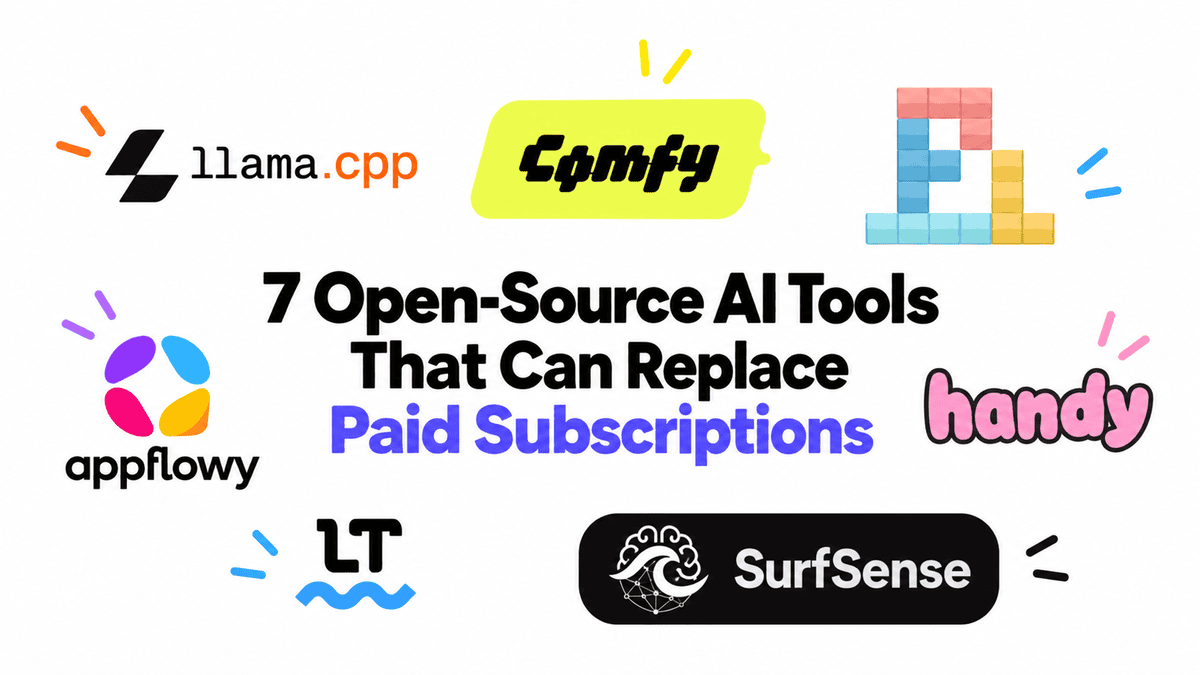
Finde Open-Source-Alternativen zur OpenAI API, zu Midjourney, Claude Code, Notion, Wispr Flow, Grammarly und NotebookLM, die du lokal betreiben oder selbst hosten kannst, für mehr Privatsphäre, mehr Kontrolle und niedrigere Kosten.
Die Kosten für KI-Abos summieren sich überraschend schnell. Ich selbst bezahle für einige davon, und nach einer Weile fragt man sich: Ist das alles wirklich sein Geld wert? Gibt es eine Open-Source-Alternative? Kann ich sie lokal und privat betreiben? Und geht das, ohne allzu viel bei Leistung oder Qualität einzubüßen?
Für viele der Werkzeuge, die wir täglich nutzen, lautet die Antwort inzwischen ja. Man kann Cloud-KI-Assistenten durch lokale Large Language Models (LLMs) ersetzen, kostenpflichtige Coding-Tools durch Open-Source-Coding-Agents, Bildgenerierungs-Plattformen durch lokale Workflows und Apps wie Notion durch selbst gehostete Alternativen. Man kann sogar Cloud-Diktierlösungen durch eine schnelle Speech-to-Text-App ersetzen, die vollständig auf dem eigenen Rechner läuft.
Das Open-Source-Ökosystem hat sich stark verbessert, und viele dieser Projekte sind längst nicht mehr nur experimentelle Alternativen. Es sind ausgereifte Werkzeuge, die man tatsächlich täglich nutzen kann. Für diesen Ratgeber habe ich sieben Open-Source-KI-Tools ausgewählt, die gängige kostenpflichtige Abos ersetzen können und dabei mehr Kontrolle und Privatsphäre bieten und oft gar keine laufenden Kosten verursachen.
Ich nutze llama.cpp fast täglich, wenn ich ein lokales LLM betreiben oder ein neu veröffentlichtes Modell testen möchte. Es ist eines der besten Tools, um quantisierte Modelle effizient auf der eigenen Hardware auszuführen, und ist auf CPUs, NVIDIA-GPUs, Apple Silicon, AMD-GPUs und weiteren Plattformen stark optimiert.
Was llama.cpp besonders nützlich macht, ist die Tatsache, dass es nicht nur eine Inferenz-Engine ist. Der integrierte Server bietet eine OpenAI-kompatible API und eine Weboberfläche, sodass man mit dem Modell in einem ChatGPT-ähnlichen Interface chatten oder es direkt mit Anwendungen verbinden kann, die normalerweise auf kostenpflichtige APIs angewiesen sind. Das macht es zu einer praktischen Alternative sowohl zu monatlichen LLM-Abos als auch zu Token-basierten API-Kosten.
Auch die Modelle, die man lokal betreiben kann, werden immer besser. Qwen3.8-27B ist eines der stärksten offenen agentic coding Modelle, die es derzeit gibt. Mit llama.cpp kann man es lokal bereitstellen, über die Web-UI testen oder als API anbieten und erhält dabei eine Coding- und Agenten-Leistung, die mit Frontier-Modellen wie Claude Opus 4.8 konkurrenzfähig ist.
Für mich liegt der eigentliche Reiz von llama.cpp genau darin: Ich kann ein starkes neues Modell herunterladen, es privat betreiben, lokal testen und als API nutzen, ohne bei jedem Prompt zahlen zu müssen.
ComfyUI ist eine leistungsstarke Open-Source-Alternative zu Tools wie Midjourney, Adobe Firefly und anderen gehosteten Bild- und Videogeneratoren. Es verwendet eine visuelle, node-basierte Oberfläche, sodass man statt den Generierungsprozess hinter einem einzigen Prompt-Feld zu verbergen, genau sehen und steuern kann, wie Modelle, Prompts, LoRAs, ControlNets, Upscaler und andere Komponenten zusammenspielen.
Was ComfyUI besonders nützlich macht, ist, wie viel mehr es über die reine Bilderzeugung hinaus kann. Man kann es für Bildbearbeitung, Inpainting, Outpainting, Upscaling, referenzbasierte Generierung, Segmentierung und Compositing nutzen, und es unterstützt moderne Editing-Modelle wie Flux Kontext und Qwen Image Edit. Es unterstützt auch Videogenerierung mit Modellen wie Wan, LTX-Video, HunyuanVideo und CogVideoX, sodass dieselbe Oberfläche sowohl Bild- als auch Video-Workflows abdeckt.
Deshalb betrachte ich ComfyUI als mehr als nur einen Midjourney-Ersatz. Wenn man sich einmal an die Workflows gewöhnt hat, wird es zu einer vollständigen lokalen Kreativ-KI-Plattform zum Generieren, Bearbeiten und Automatisieren von Bildern und Videos, während man deutlich mehr Kontrolle hat als bei den meisten gehosteten Tools.
Pi ist eine schnelle Open-Source-Alternative zu Coding-Agents wie Claude Code, Gemini CLI und OpenAI Codex. Ich nutze es fast täglich, weil es Projekte aufbauen, Code debuggen, Probleme finden, Dateien bearbeiten, Befehle ausführen und mehrstufige Coding-Aufgaben direkt aus dem Terminal erledigen kann.
Besonders gefällt mir die Nutzung von Pi mit lokalen Modellen. Ich kann ein Modell über llama.cpp betreiben, dessen OpenAI-kompatiblen Endpoint freigeben und Pi damit verbinden. llama.cpp übernimmt die Inferenz, während Pi dem Modell die agentic coding Fähigkeiten verleiht, die nötig sind, um tatsächlich an einem Projekt arbeiten zu können.
So erhält man ein vollständiges lokales Coding-Agent-Setup ohne Abhängigkeit von einem kostenpflichtigen Abo. Es ist schnell, flexibel und eine hervorragende Möglichkeit, agentic coding mit den eigenen lokalen Modellen zu erleben.
AppFlowy ist eine der besten Open-Source-Alternativen zu Notion, wenn man mehr Kontrolle über die eigenen Daten möchte. Man kann es für Dokumente, Notizen, Wikis, Aufgaben, Datenbanken, Kanban-Boards, Kalender und Teamzusammenarbeit nutzen und behält dabei das vertraute All-in-One-Workspace-Konzept, das Notion so nützlich macht.
Was mir an AppFlowy gefällt, ist, dass es nicht nur eine kleine Notiz-App ist. Es gibt native Desktop-Apps für Windows, macOS und Linux, mobile Apps, eine Web-Version, Offline-Unterstützung und Optionen zum Selbst-Hosting. Man kann auch die KI-Funktionen zum Schreiben und Bearbeiten nutzen, sodass es sich mehr und mehr zu einem vollständigen Produktivitäts-Workspace entwickelt und nicht nur ein Notion-Klon bleibt.
Der Hauptvorteil ist die Kontrolle. Man kann seinen Workspace lokal behalten oder AppFlowy auf der eigenen Infrastruktur betreiben, statt alles in eine weitere SaaS-Plattform zu legen. Ein Vorbehalt: Der aktuelle serverseitige Self-Hosting-Stack von AppFlowy hat sich in Richtung eines Open-Core-/kommerziellen Modells bewegt, während die Web- und Flutter-Clients weiterhin Open Source sind. Dadurch ist das Self-Hosting etwas komplizierter geworden als früher.
Handy ist eine schnelle Open-Source-Diktier-App, die vollständig offline funktioniert. Sie ist mit Tauri, Rust, React und TypeScript gebaut, und der Workflow ist einfach: Tastenkürzel drücken, sprechen, und Handy transkribiert die Stimme lokal und fügt den Text direkt in die gerade verwendete App ein. Das bedeutet, man kann in ChatGPT, Coding-Agents, Dokumente, E-Mails, Terminals oder praktisch jedes Textfeld diktieren, ohne seine Audiodaten in die Cloud zu schicken.
Es unterstützt lokale Whisper-Modelle mit GPU-Beschleunigung sowie Parakeet V3 für CPU-freundliche Transkription. Das Projekt berichtet von etwa 5-facher Echtzeit-Transkriptionsgeschwindigkeit für Parakeet V3 auf einer mittelklassigen i5-CPU, sodass es sich für das tägliche Diktieren schnell genug anfühlt.
Genau das macht Handy zu einer so guten Alternative zu kostenpflichtigen Diktier-Tools. Man erhält schnelles, privates systemweites Voice Typing ohne Abo, ohne Cloud-Verarbeitung und ohne Kosten pro Transkriptionsminute.
LanguageTool ist eine starke Open-Source-Alternative zu Grammarly für Grammatik-, Rechtschreib-, Zeichensetzungs- und Stilprüfung. Sein Open-Source-Kern unterstützt mehr als 25 Sprachen, darunter Englisch, Spanisch, Französisch, Deutsch, Portugiesisch, Polnisch und Niederländisch, und findet viele kontextbezogene Fehler, die ein einfacher Rechtschreibprüfer übersehen würde.
Besonders nützlich ist, dass man nicht gezwungen ist, den gehosteten Dienst zu nutzen. Man kann einen eigenen LanguageTool-Server lokal betreiben oder selbst hosten, was mehr Privatsphäre bietet und es ermöglicht, die Grammatikprüfung über die HTTP-API in die eigenen Anwendungen zu integrieren.
Für den Alltag beim Schreiben, für E-Mails, Dokumente und browserbasierte Arbeit ist der freie Open-Source-Kern bereits sehr leistungsfähig. LanguageTool bietet zwar auch kostenpflichtige Cloud-Funktionen, aber wenn das Hauptziel eine solide Grammatik- und Stilprüfung ohne ein weiteres Abo ist, ist die Open-Source-Version ein sehr praktischer Ersatz.
Viele Leute, die ich kenne, nutzen Tools wie NotebookLM, um Dokumente zu studieren, Themen zu recherchieren und eine durchsuchbare Wissensbasis rund um die eigenen Dateien aufzubauen. SurfSense bietet ein ähnliches Erlebnis, aber mit deutlich mehr Kontrolle. Es ist Open Source, selbst hostbar und kann sich mit den eigenen Dokumenten sowie Quellen wie YouTube, GitHub, Notion, Slack, Linear und der Websuche verbinden.
Man kann Dateien hochladen, im gespeicherten Wissen suchen, Fragen stellen und Antworten mit Quellenangaben erhalten. Es unterstützt auch die Berichterstellung, Podcasts und verschiedene Retrieval-Augmented-Generation-Techniken (RAG), während man aus vielen unterschiedlichen LLM- und Embedding-Anbietern wählen kann.
Der Aspekt, der mir am besten gefällt, ist, dass man SurfSense selbst hosten kann und so deutlich mehr vom Stack unter eigener Kontrolle behält. Es unterstützt sogar lokale Modelle über Tools wie Ollama, sodass man einen privaten Recherche-Assistenten um die eigenen Daten aufbauen kann, statt vollständig von einer gehosteten Plattform abhängig zu sein.
Open Source bedeutet nicht immer völlig kostenlos. Man braucht eventuell gute Hardware, muss etwas Zeit in die Einrichtung investieren oder akzeptieren, dass manche gehosteten Tools ausgereifter sind.
Aber die Lücke ist inzwischen viel kleiner geworden. Man kann starke lokale Modelle betreiben, Bilder generieren und bearbeiten, mit Agents programmieren, Wissen verwalten, diktieren, Korrektur lesen und private Recherche-Workflows aufbauen, ohne für alles ein separates Abo zu benötigen.
Für mich ist der größte Vorteil nicht nur das gesparte Geld. Es ist die Kontrolle. Man wählt das Modell, den Speicherort der eigenen Daten und die Art, wie die Tools miteinander verbunden werden.
Bevor man also für ein weiteres KI-Abo bezahlt, lohnt es sich wahrscheinlich zu prüfen, ob bereits eine gute Open-Source-Alternative existiert.
Abid Ali Awan ( @1abidaliawan ) ist ein zertifizierter Data Science professioneller, der es liebt, Machine Learning Modelle zu entwickeln. Derzeit konzentriert er sich auf die Erstellung von Inhalten und das Schreiben technischer Blogs ueber Machine Learning und Data Science Technologien. Abid besitzt einen Masterabschluss im Technologiemanagement und einen Bachelorabschluss in Telekommunikationstechnik. Seine Vision ist es, ein KI Produkt auf Basis eines Graph Neural Network fuer Studierende zu entwickeln, die mit psychischen Erkrankungen zu kaempfen haben.
Erhalten Sie das kostenlose E-Book 'KDnuggets Artificial Intelligence Pocket Dictionary' zusammen mit dem fuehrenden Newsletter zu Data Science, Machine Learning, KI und Analytics direkt in Ihr Postfach.
Mit dem Abonnement akzeptieren Sie die Datenschutzrichtlinie von KDnuggets.
Automatisch übersetzt. Das Original auf Englisch ist unten aufklappbar.
Original (Englisch) anzeigen
Find open-source alternatives to OpenAI API, Midjourney, Claude Code, Notion, Wispr Flow, Grammarly, and NotebookLM that you can run locally or self-host for more privacy, control, and lower cost.
AI subscriptions add up surprisingly fast. I pay for quite a few of them myself, and after a while you start wondering: is all of this really worth it? Is there an open-source alternative? Can I run it locally and privately? And can I do that without giving up too much in performance or quality?
For many of the tools we use every day, the answer is now yes. You can replace cloud AI assistants with local large language models (LLMs), paid coding tools with open-source coding agents, image-generation platforms with local workflows, and apps like Notion with self-hosted alternatives. You can even replace cloud dictation with a fast speech-to-text app that runs entirely on your own machine.
The open-source ecosystem has improved a lot, and many of these projects are no longer just experimental alternatives. They are polished tools that you can actually use every day. For this guide, I picked seven open-source AI tools that can replace common paid subscriptions while giving you more control, privacy, and often no recurring cost at all.
I use llama.cpp almost every day whenever I want to run a local LLM or test a newly released model. It is one of the best tools for running quantized models efficiently on your own hardware, and it is highly optimized across CPUs, NVIDIA GPUs, Apple Silicon, AMD GPUs, and other platforms.
What makes llama.cpp especially useful is that it is not just an inference engine. Its built-in server gives you an OpenAI-compatible API and a web interface, so you can chat with your model in a UI similar to ChatGPT or connect it directly to applications that normally rely on paid APIs. That makes it a practical alternative to both monthly LLM subscriptions and per-token API costs.
The models you can run locally are also getting much better. Qwen3.8-27B is one of the strongest open agentic coding models you can use today. With llama.cpp, you can serve it locally, test it through the web UI, or expose it as an API, while getting coding and agentic performance that is competitive with frontier models such as Claude Opus 4.8.
For me, that is the real appeal of llama.cpp: I can download a strong new model, run it privately, test it locally, and use it as an API without paying every time I send a prompt.
ComfyUI is a powerful open-source alternative to tools such as Midjourney, Adobe Firefly, and other hosted image and video generators. It uses a visual node-based interface, so instead of hiding the generation process behind a single prompt box, you can see and control how models, prompts, LoRAs, ControlNets, upscalers, and other components work together.
What makes ComfyUI especially useful is how much more it can do beyond basic image generation. You can use it for image editing, inpainting, outpainting, upscaling, reference-based generation, segmentation, and compositing, and it supports modern editing models such as Flux Kontext and Qwen Image Edit. It also supports video generation with models such as Wan, LTX-Video, HunyuanVideo, and CogVideoX, so the same interface can cover both image and video workflows.
That is why I see ComfyUI as more than just a Midjourney replacement. Once you get comfortable with the workflows, it becomes a complete local creative AI platform for generating, editing, and automating images and videos, while giving you much more control than most hosted tools.
Pi is a fast, open-source alternative to coding agents such as Claude Code, Gemini CLI, and OpenAI Codex. I use it almost every day because it can build projects, debug code, find issues, edit files, run commands, and handle multi-step coding tasks directly from the terminal.
What I especially like is using Pi with local models. I can run a model through llama.cpp, expose its OpenAI-compatible endpoint, and connect Pi to it. llama.cpp handles the inference, while Pi gives the model the agentic coding capabilities needed to actually work on a project.
That gives you a complete local coding-agent setup without depending on a paid subscription. It is fast, flexible, and a great way to experience agentic coding with your own local models.
AppFlowy is one of the best open-source alternatives to Notion if you want more control over your data. You can use it for documents, notes, wikis, tasks, databases, Kanban boards, calendars, and team collaboration, while keeping the familiar all-in-one workspace idea that makes Notion so useful.
What I like about AppFlowy is that it is not just a small note-taking app. It has native desktop apps for Windows, macOS, and Linux, mobile apps, a web version, offline support, and options for self-hosting. You can also use its AI features for writing and editing, so it is getting closer to a complete productivity workspace rather than just a Notion clone.
The main appeal is control. You can keep your workspace local or run AppFlowy on your own infrastructure instead of putting everything inside another SaaS platform. One caveat is that AppFlowy's current server-side self-hosting stack has moved toward an open-core/commercial model, while its web and Flutter clients remain open source, so the self-hosting story is a little more complicated than it used to be.
Handy is a fast, open-source dictation app that works completely offline. It is built with Tauri, Rust, React, and TypeScript, and the workflow is simple: press a shortcut, speak, and Handy transcribes your voice locally and pastes the text directly into whatever app you are using. That means you can dictate into ChatGPT, coding agents, documents, emails, terminals, or basically any text field without sending your audio to the cloud.
It supports local Whisper models with GPU acceleration as well as Parakeet V3 for CPU-friendly transcription. The project reports around 5× real-time transcription speed for Parakeet V3 on a mid-range i5, so it feels fast enough for everyday dictation.
That is what makes Handy such a good alternative to paid dictation tools. You get fast, private, system-wide voice typing with no subscription, no cloud processing, and no per-minute transcription cost.
LanguageTool is a strong open-source alternative to Grammarly for grammar, spelling, punctuation, and style checking. Its open-source core supports more than 25 languages, including English, Spanish, French, German, Portuguese, Polish, and Dutch, and it catches many contextual mistakes that a basic spell checker would miss.
What makes it especially useful is that you are not forced to use the hosted service. You can run your own LanguageTool server locally or self-host it, which gives you more privacy and lets you integrate grammar checking into your own applications through its HTTP API.
For everyday writing, emails, documents, and browser-based work, the free and open-source core is already very capable. LanguageTool also offers paid cloud features, but if your main goal is solid grammar and style checking without depending on another subscription, the open-source version is a very practical replacement.
A lot of people I know use tools like NotebookLM to study documents, research topics, and build a searchable knowledge base around their own files. SurfSense gives you a similar experience, but with much more control. It is open source, self-hostable, and can connect to your documents as well as sources such as YouTube, GitHub, Notion, Slack, Linear, and web search.
You can upload files, search across your saved knowledge, ask questions, and get answers with citations. It also supports report generation, podcasts, and multiple retrieval-augmented generation (RAG) techniques, while letting you choose from many different LLM and embedding providers.
The part I like most is that you can self-host SurfSense and keep much more of the stack under your control. It even supports local models through tools such as Ollama, so you can build a private research assistant around your own data instead of depending entirely on a hosted platform.
Open source does not always mean completely free. You may still need good hardware, spend some time setting things up, or accept that some hosted tools are more polished.
But the gap is much smaller now. You can run strong local models, generate and edit images, code with agents, manage knowledge, dictate, proofread, and build private research workflows without depending on a separate subscription for everything.
For me, the biggest benefit is not just saving money. It is control. You choose the model, where your data lives, and how the tools connect together.
So before paying for another AI subscription, it is probably worth checking whether a good open-source alternative already exists.
Abid Ali Awan ( @1abidaliawan ) is a certified data scientist professional who loves building machine learning models. Currently, he is focusing on content creation and writing technical blogs on machine learning and data science technologies. Abid holds a Master's degree in technology management and a bachelor's degree in telecommunication engineering. His vision is to build an AI product using a graph neural network for students struggling with mental illness.
Get the FREE ebook 'KDnuggets Artificial Intelligence Pocket Dictionary' along with the leading newsletter on Data Science, Machine Learning, AI & Analytics straight to your inbox.
By subscribing you accept KDnuggets Privacy Policy